

AIKON EA V8.25 MT5 No DLL
$1,197.00 Original price was: $1,197.00.$25.00Current price is: $25.00.
Product Detail
🔹 Pairs: Major and Minor Pair
🔹 Minimum Deposit: $500
📦 Instant Download Includes
• ✔️AIKON EA V8.25 (.ex5)
Live Signal: https://www.mql5.com/en/users/brandonautry/seller
Payment Methods:

Description
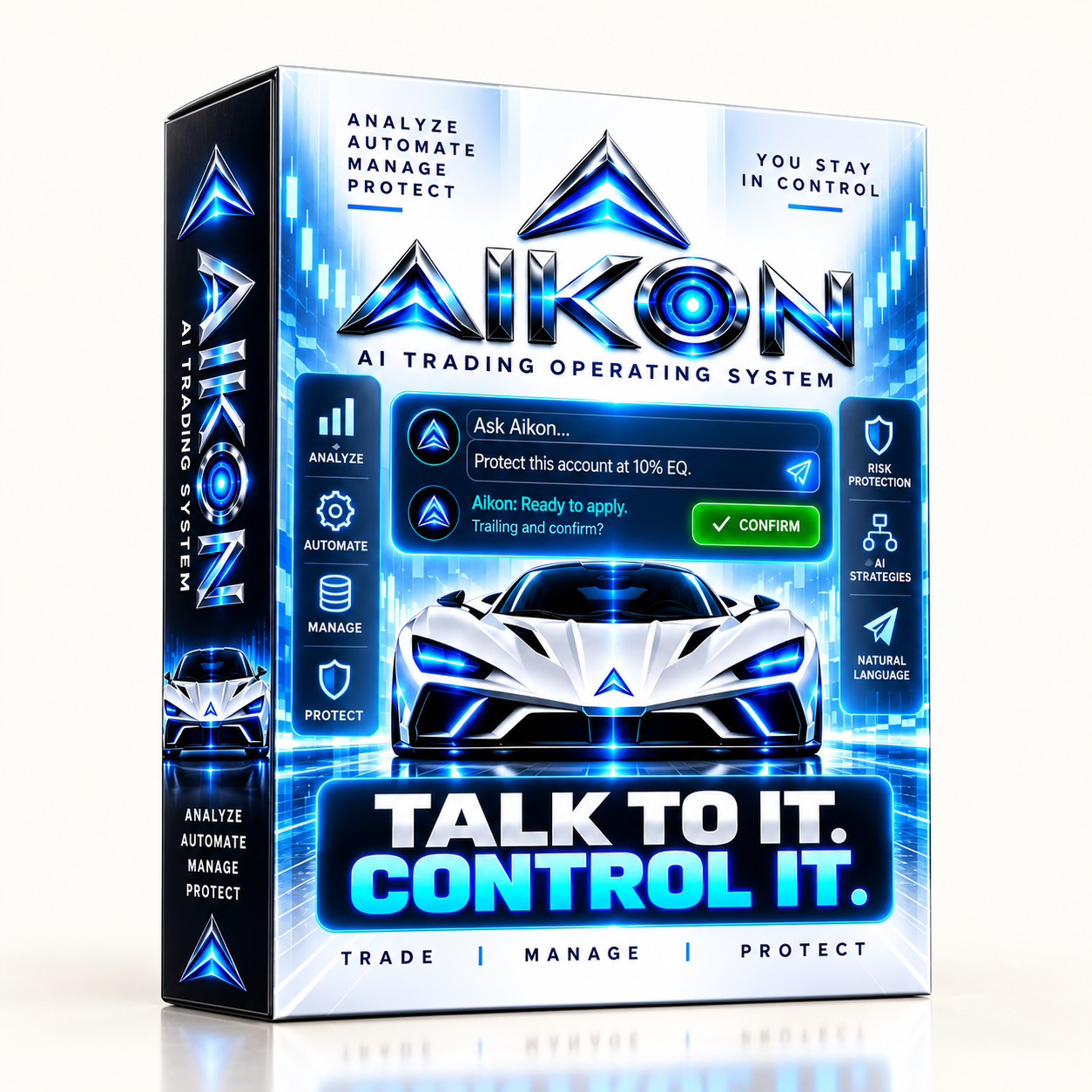
AIKON EA — AI-POWERED AUTOMATED TRADING WITH CONVERSATIONAL CONTROL
AIKON EA is an advanced Expert Advisor for MetaTrader 5 that combines automated trading, AI-assisted analysis, intelligent capital management, and conversational system control in one environment.
Once configured and enabled, AIKON can analyze supported markets, identify trading conditions, open positions, and manage trades according to your selected strategy, risk settings, and capital controls.
At the center of the system is Ask Aikon, a conversational interface that helps you understand and control your trading operation using natural language.
Instead of searching through multiple menus and settings, simply tell AIKON what you want to review or change. For example, you can check exposure, investigate why a market did not trade, prepare a settings adjustment, create an alert, or temporarily pause new entries.
Meanwhile, routine automated trading continues according to the rules you have already enabled. Whenever you request an operational change through Ask Aikon, the system first prepares the proposed action for your review.
After you confirm the request, AIKON validates and applies the supported change.
Automated trading, monitoring, scheduled instructions, and other ongoing functions require MetaTrader 5 to remain running, connected, and properly authorized.
Your Strategy. Your Capital. Your Rules. Your Control.
START WITH THE WAY YOU WANT TO TRADE
Begin with one account and a trading setup you understand.
Several configuration options are available. You can select a ready-made profile, configure the system manually, or ask AIKON to help prepare your setup.
Available starting approaches include:
- Forex Single Entry with Stop Loss — individual Forex trades with configured protection and exit rules.
- Gold Single Entry with Stop Loss — a structured starting profile designed for Gold trading.
- Forex Recovery — an optional approach that can add and manage positions according to configured Recovery rules.
For symbol selection, you can choose your own trading instruments, ask AIKON for recommendations, or use AIKON CHOOSES for AI-assisted symbol selection.
In addition, different asset classes can use different settings where appropriate.
Single Entry strategies may also use AI-assisted or rule-based Take Profit and Stop Loss behavior.
Recovery remains optional. Therefore, your strategy, position size, exit settings, capital allocation, and protection rules determine the level of risk you accept.
Quick Start uses one supported AI provider, one model, and one API key. External provider charges remain separate.
Configure your setup. Understand the rules. Enable trading. Let AIKON operate within those boundaries.
ASK AIKON — TALK DIRECTLY TO YOUR TRADING SYSTEM
Ask Aikon allows you to communicate with your trading system in plain language.
Rather than remembering which menu contains a specific setting, you can simply describe what you want the system to review or prepare.
For example:
- “Build me a Forex Single Entry setup with a Stop Loss and explain the settings before I confirm.”
- “Why didn’t this market trade? Check what is blocking it.”
- “Review my exposure and tell me if I am too concentrated in USD.”
- “Close my profitable positions and pause new entries until Monday.”
- “Prepare this account for FTMO and show me the relevant protection settings.”
Ask Aikon can inspect available settings, positions, capital controls, and connected accounts.
As a result, it can explain the current state of your trading operation and prepare supported actions using live system information.
When an operational change is requested, AIKON first prepares the proposed action. Next, you review the request and decide whether to confirm it.
After confirmation, the system validates the instruction and applies it where allowed.
For connected Node accounts, AIKON can also report whether an account successfully applied or refused the requested operation.
The workflow is straightforward:
Request → Proposed Action → Review → Confirmation → Validation → Applied Result
Meanwhile, routine automated trading can continue according to your existing enabled rules even after you close the conversation.
Ask. Review. Confirm. See the result.
CONTROL AIKON FROM TELEGRAM
Private Telegram pairing brings Ask Aikon directly to your phone.
From Telegram, you can review portfolio information, check open positions, prepare settings changes, create alerts, or request a temporary pause in new trading.
In addition, account conditions can be reviewed without opening MetaTrader directly.
Operational requests are sent from Telegram back to AIKON inside MetaTrader 5. The system then validates and executes supported actions according to your active rules and permissions.
Importantly, the Telegram bot does not require independent broker credentials or separate trading authority.
MetaTrader 5 remains the execution environment, while Telegram acts as a communication interface.
Therefore, no separate companion application is required.
RESEARCH AN IDEA BEFORE YOU ACT
Ask Aikon can also help you investigate trading ideas and current market conditions before taking action.
For example:
“What could a hotter-than-expected CPI release mean for Gold? Research the current context and explain both scenarios.”
When web research is available through a compatible provider, Ask Aikon can retrieve current information and use it as additional context.
Furthermore, supported files can be uploaded to provide your own research, notes, or structured information.
Where supported, AIKON can organize available information into formats such as:
- TXT
- CSV
- JSON
As a result, your research can be easier to review, store, or share outside the conversation.
CREATE INSTRUCTIONS THAT CONTINUE AFTER THE CHAT
AIKON can prepare temporary plans that continue after a conversation ends.
For example:
“Monitor Gold for long opportunities under these conditions, allow one trade, manage it if it opens, and stop monitoring Friday at 15:00.”
A temporary plan can include:
- Monitoring conditions
- Entry requirements
- Execution limits
- Position-management instructions
- Start conditions
- Expiry time
Before activation, AIKON displays the complete plan for your review.
Once approved, the instruction can continue while MetaTrader 5 remains running and connected.
In addition, alerts, scheduled actions, and monitoring objectives can be created without authorizing a trade.
You define what AIKON may do, when it may do it, and when the instruction must end.
CAPITAL MANAGEMENT — CONTROL HOW MUCH CAPITAL MAY WORK
AIKON includes capital-management controls alongside individual trade-level risk settings.
These controls help define how much account capital the system may use for normal trading activity.
Operating Capital
Operating Capital represents the amount authorized for normal trading operations.
Protected Reserve
Protected Reserve represents capital excluded from normal trading allocation.
However, the reserve remains inside the trading account. It does not represent a withdrawal, separate bank balance, or guarantee against trading losses.
Harvestable Profit
Harvestable Profit represents recognized profit above the active capital-allocation baseline.
Capital controls can also restrict new trading campaigns while allowing AIKON to continue managing and protecting existing positions.
Therefore, a new trading opportunity does not automatically authorize additional capital.
You decide how much capital may work.
YOUR TRADING CONSTITUTION
The Trading Constitution contains your continuing trading and protection rules.
It can define policies covering:
- Trading permissions
- Risk controls
- Capital usage
- Protection settings
- Strategy behavior
- Operational restrictions
These rules can be edited directly. Alternatively, Ask Aikon can prepare proposed changes for your review.
For long-term operating policies, the Trading Constitution provides the primary framework.
Temporary automations, by comparison, are better suited to objectives with specific conditions, schedules, or expiry times.
This structure separates permanent trading policy from short-term operational instructions.
AIKON INITIATIVE — USEFUL ATTENTION BETWEEN CONVERSATIONS
AIKON Initiative can review meaningful system changes and bring relevant developments to your attention.
For instance, it may revisit a previously identified concern and check whether the issue still matters.
If the concern has been resolved or there is nothing useful to add, the system can remain quiet.
Importantly, Initiative reviews are read-only.
They do not independently change trading settings or place trades.
Instead, your existing permissions and confirmation rules continue to determine operational authority.
CONTINUITY WHEN YOU RETURN
AIKON can maintain useful continuity between conversations.
Your Operator Profile can store your name and selected interaction preferences.
Meanwhile, Presence can learn your interaction routine and help determine when non-urgent information may be appropriate to surface.
In addition, concern tracking can retain an issue for later review.
As a result, starting a new conversation does not automatically remove your Operator Profile, learned Presence routine, or tracked concerns.
This continuity allows Ask Aikon to continue from relevant previous context instead of starting from zero every time.
ONE ACCOUNT OR A CONNECTED FLEET
AIKON can operate on a single MetaTrader account or coordinate multiple connected accounts through its Master / Node architecture.
Shared analysis can support the wider fleet. Nevertheless, every individual account continues to follow its own:
- Trading eligibility
- Strategy settings
- Capital limits
- Risk controls
- Protection rules
Through Ask Aikon, traders can inspect the wider operation, review individual Nodes, and prepare supported actions for selected accounts.
In a managed fleet, the Coordinator handles proactive Initiative communication. As a result, individual Nodes do not need to compete for your attention.
Start with one account. Expand when it serves your trading operation.
AI ECONOMICS — UNDERSTAND YOUR AI USAGE
AI Economics provides visibility into AI-related activity.
Depending on the selected provider and available data, the system can track information such as:
- AI calls
- Response times
- Token usage
- Tracked API costs
- Tool activity
- Web research usage
Furthermore, AIKON aims to reduce unnecessary duplicate AI processing while preserving useful continuity across connected accounts.
Relevant intelligence can also be shared where appropriate instead of repeating the same processing unnecessarily.
External AI API charges remain separate and depend on your selected provider, model, activity level, and enabled features.
SEE AIKON IN OPERATION
The Ask Aikon demonstration shows the complete operational workflow:
Request → Proposed Change → Confirmation → Validation → Applied Result
Meanwhile, the Capital Management demonstration explains how Operating Capital, Protected Reserve, and profit allocation work together.
When reviewing trading performance, realized profit should not be considered alone.
Instead, also review:
- Strategy settings
- Trading period
- Market conditions
- Floating exposure
- Drawdown
- Capital allocation
- Position size
- Risk settings
Together, these factors provide a more complete picture of trading performance.
WHAT BACKTESTING CAN SHOW
MetaTrader Strategy Tester can demonstrate supported mechanical trading behavior in a simulated environment.
However, a traditional backtest cannot reproduce every part of AIKON’s connected environment.
For example, live AI conversations, external AI-provider communication, web research, and Telegram functionality depend on external connections.
The standard Strategy Tester does not fully reproduce these connected services.
Therefore, backtesting should primarily be used to examine available mechanical strategy behavior.
For conversational control, capital management, connected AI features, and external integrations, use the available demonstrations and supported live environment.
BEFORE YOU BEGIN
Before using AIKON, consider the following requirements and limitations:
- AI features require internet access and valid credentials for your selected supported provider.
- External AI-provider charges remain separate.
- Automated trading requires MetaTrader 5 to remain running and connected.
- Telegram functionality and ongoing automations also require an active MT5 terminal.
- Available AI models, web tools, and file capabilities depend on the selected provider.
- Netting accounts do not support Recovery mode.
- FIFO and no-hedging conditions may affect execution behavior.
- Proof of your MQL5 Market purchase may be required before purchaser-only manuals or product support are provided.
- A product review is not required to receive support.
- Trading involves financial risk.
- AIKON does not guarantee profit or eliminate the possibility of loss.
- You remain responsible for your trading, capital allocation, strategy configuration, and risk decisions.
WHY I BUILT AIKON
I built AIKON because traders should spend less time searching for the correct setting and more time deciding what they want their trading system to do.
Instead of separating automated trading from system control, AIKON connects trading logic with a conversational interface that understands available settings, positions, capital controls, and connected accounts.
At the same time, the system can maintain useful continuity, track important concerns, and explain meaningful changes when you return.
The objective is simple:
Give the trader clear control while allowing the system to handle the automation already authorized.
Start with a setup you understand.
Next, define your strategy, risk parameters, capital limits, and operating rules.
Then allow AIKON to operate within those boundaries.
Whenever you need an explanation, review, or supported change, simply Ask Aikon.
Customer Reviews
Related Products

Bonnitta Gold EA V1.33 MT4 NO DLL
In stock
AI Gen XII v3.0 EA Build +1431 No DLL
In stock
Evening Scalper Pro EA MT4 V2.56 No DLL
In stock

Alpha Gold EA MT4/ MT5 Demo Version
In stock
The Infinity EA MT4 V1.34 No DLL
In stock
Quantum Emperor V6.0 EA MT4 No DLL
In stock
Reviews
Clear filtersThere are no reviews yet.