Up Down V6 V12 – A Non-Repaint Histogram for Tops and Bottoms
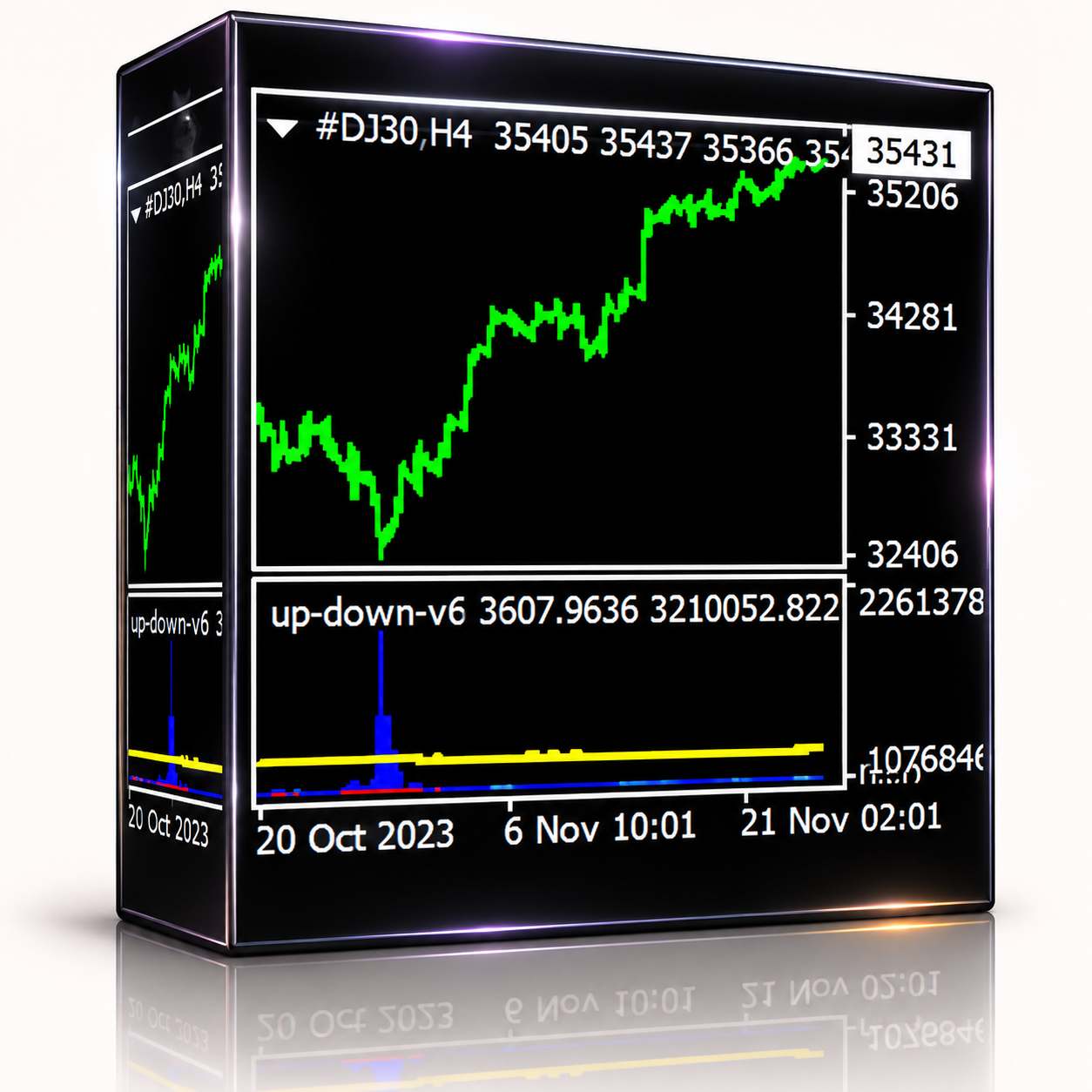
Many indicators look perfect on old charts because they redraw their past signals. The Up Down v6 indicator doesn’t. Once a signal appears, it stays put. It uses a mathematical reading of price to mark where a move is likely to turn, and it shows this as a histogram with a trigger line.
It runs on any pair and any timeframe, from M1 right up to the monthly chart. Also, it gives fewer signals than most tools, which keeps your chart clean.
How to Read the Up Down v6 Indicator
- Red histogram crosses the trigger line: a possible top, so price may move down.
- Blue histogram crosses the trigger line: a possible bottom, so price may move up.
A wave line, adjustable from 200 to 500, adds a second view of the swing. In addition, an EMA layer keeps signals clear even on monthly charts.
Tuning the C Value
The C value sets how sensitive the signals are. It starts at 2.7, but each pair is different, so tune it once:
- Open the D1 or H4 chart of your pair.
- Raise or lower the C value until the clear tops and bottoms are marked.
- Keep that same value for the pair on every timeframe.
- Act on the signal whichever timeframe shows it, H4 or M15.
If you can’t see the signals, press the + button in the terminal to zoom in.
Main Features
- No repaint
- All pairs and all timeframes, M1 to MN
- Fewer, cleaner signals
- Adjustable histogram, trigger line and wave
- Simple colour rule for up and down
MQL5 Rating
Buyers on MQL5 rate the Up Down v6 indicator 4.45 out of 5. Several say it takes a little practice, but the signals get much clearer once the C value is set well.
Technical Specifications
Version: 12
Platform: MetaTrader 4
Type: Indicator, separate window
Symbols: All
Timeframes: M1 to MN
Repaint: No
Default C Value: 2.7
Quick Setup
- Put the .ex4 file in the MQL4/Indicators folder and restart MetaTrader 4.
- Open the chart you want to trade.
- Drag the indicator from the Navigator onto the chart and adjust the inputs.
- Practise with it on a demo account before you trade real money.
See more tools in our MT4 indicators.
Risk Warning
No indicator is right every time, and leveraged trading can lose money. So use a stop loss, confirm with price action and practise first. The Up Down v6 indicator helps you spot turns, but the final call is always yours.






Reviews
Clear filtersThere are no reviews yet.